
For years, optimizing a WordPress site for speed meant stripping away design features. If you wanted a fast site, you were stuck with a generic, rigid layout. If you wanted advanced layouts, you had to accept heavy plugin bloat and poor mobile performance scores.
The arrival of modern, lightweight theme frameworks permanently broke that compromise. Today, two dominant powerhouses lead the conversation for building high-performance, future-proof sites: Astra and Kadence.
Both frameworks are designed to serve as a high-speed canvas for the native block editor, but they approach theme architecture, layout flexibility, and developer tools differently. Let’s break down how they stack up across the core metrics that matter for modern web design.
1. Structural Performance and Code Weight
In an era where search engines prioritize core user experience signals, the baseline performance of your theme framework is critical. Both Astra and Kadence are built with clean code and do not rely on jQuery, keeping their base footprint exceptionally light.
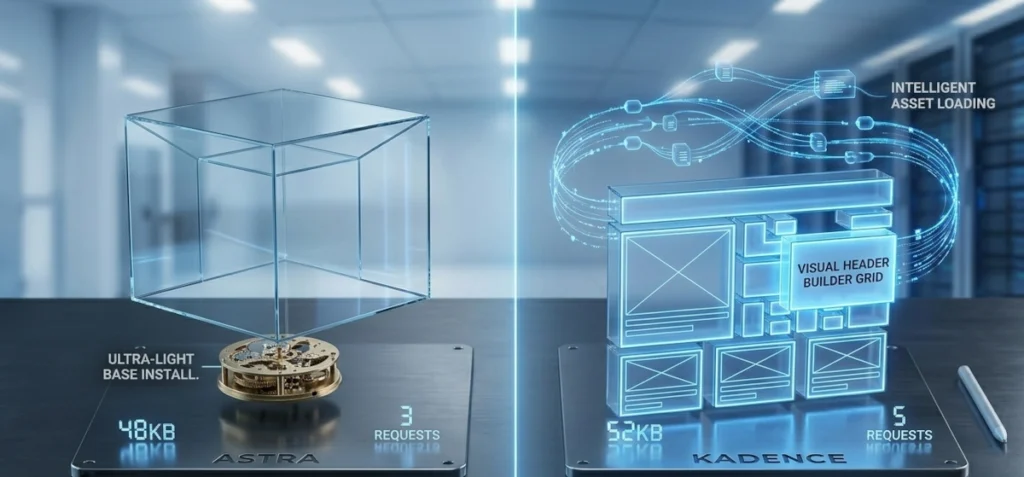
- Astra’s Blueprint: Out of the box, a clean Astra installation is incredibly lean, loading in under 50KB with minimal HTTP requests. Astra achieves this by stripping out almost everything from the core install. If you want a specific feature, you activate a dedicated module or companion plugin.
- Kadence’s Blueprint: Kadence is slightly heavier out of the box than Astra, but it compensates with intelligent asset loading. It only executes scripts and styles for the specific design elements present on a page, ensuring your final rendering speed remains pristine.
The Verdict: If you are chasing absolute minimum file size on a completely blank canvas, Astra wins by a margin. However, in real-world deployments with complete layouts, both deliver elite page speeds that can easily hit a perfect score on performance audits.
2. Header and Footer Architecture
The header and footer are traditionally the most difficult areas to customize without using custom CSS or a third-party page builder.
[ Top Row: Secondary Navigation / Social Links ]
[ Main Row: Logo ------ Primary Menu ------ CTA Button ]
[ Bottom Row: Transparent Announcement Bar ]
- Kadence’s Visual Grid: Kadence revolutionized theme customization with its native, drag-and-drop header and footer builder. It provides a visual 3-row grid inside the WordPress customizer. You can drag elements like navigation menus, search bars, social icons, and buttons exactly where you want them, adjusting layouts for desktop, tablet, and mobile views independently.
- Astra’s Modernized Builder: Astra introduced its own visual header/footer builder to match Kadence’s ease of use. It uses a similar grid structure and is highly intuitive, though its responsive controls can occasionally require a few more clicks to dial in precise spacing.
The Verdict: Kadence takes the win here. Its visual customizer feels more fluid, and the native inclusion of advanced layout elements (like transparent headers and off-canvas mobile menus) is smoother out of the box.
3. Native Block Editor Integration
Neither theme is meant to be used in isolation; they are built to work alongside native block patterns. Astra pairs with Spectra, while Kadence pairs with Kadence Blocks.
- Astra + Spectra: Spectra is designed to feel like an extension of the native WordPress interface. It adds essential layout components (like container grids, info boxes, and post carousels) without altering the clean aesthetic of the default block editor.
- Kadence + Kadence Blocks: Kadence Blocks is built for creators who want advanced layout capabilities natively. Its Row Layout block offers incredibly powerful controls over CSS grid structures, flexbox alignment, and responsive padding. It also includes built-in conditional logic settings, allowing you to show or hide blocks based on user roles or login status.
The Verdict: For basic business sites and content hubs, Astra and Spectra offer a clean, uncomplicated workflow. For developers building complex, dynamic layouts that require granular control over spacing and logic, Kadence offers a superior native block experience.
4. Starter Template Ecosystems
If you build sites for clients or want to accelerate your development pipeline, pre-built layout patterns are a massive asset.
- Astra’s Massive Library: Astra has been in the ecosystem longer, resulting in an unparalleled library of hundreds of premium-grade starter templates. Whether you are building an e-commerce shop, a local service site, or a corporate portal, Astra likely has a pre-built layout ready to import.
- Kadence’s Curated Design Kits: Kadence has a smaller template library, but it utilizes a highly modular system called “Design Kits.” Instead of importing an entire website, you can mix and match styled section patterns (like testimonial blocks or pricing tables) that automatically inherit your global brand colors and fonts upon import.
Summary: Which Framework Fits Your Stack?
| Metric | Astra | Kadence |
|---|---|---|
| Ideal User | Agencies & Scaling Freelancers | Advanced Creators & Theme Power-Users |
| Core Advantage | Massive layout template library | Superior visual header builder & block grid controls |
| Companion Extension | Spectra Blocks | Kadence Blocks |
| Performance Footprint | Hyper-minimal base install | Highly optimized dynamic script loading |
Deploy Astra if you want a reliable, ultra-lightweight industry standard with a massive template library that allows you to spin up diverse client sites rapidly.
Deploy Kadence if you want deep, visual design control over headers, structural layout grids, and native block customization without writing custom code.